
Home » About » WYSIWYG Editor Tips
WYSIWYG Editor Tips
WYSIWYG, which stands for "What You See Is What You Get," is a type of editor that allows users to create and edit content in a visual way that closely resembles the final output, without needing to write underlying code. It's common in word processors, content management systems like All About Jazz, and web design tools, enabling users to see their changes in real-time and simplifying the content creation process. Key features include a visual interface with toolbars, real-time editing, and formatting tools for text and images.
In terms of its usage on All About Jazz, here’s what to know about using the WYSIWYG editor:
- Limit its use to italics, bold (for interviewer/interviewee attributions), Heading 3 (for section headers), and bulleted lists (for bibliographies).
- Do not use it to insert images.
- Use blockquotes sparingly.
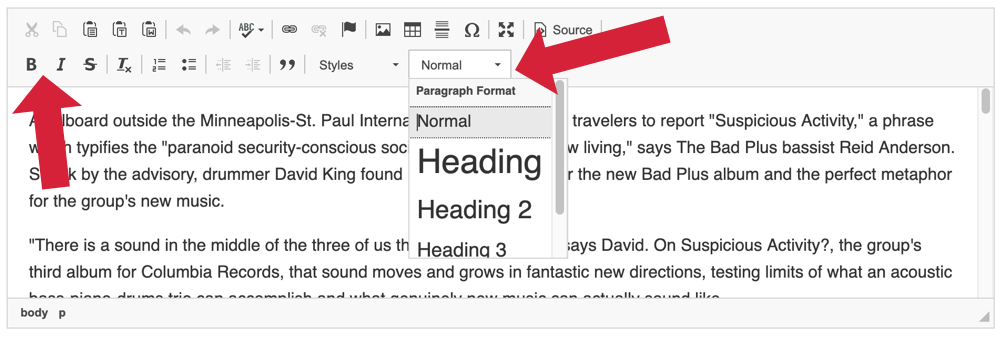
As of January 15, 2026, the WYSIWYG editor is viewable to all article types except Radio & Podcasts, Book Reviews, Multi-Reviews and Year In Review articles.
For album titles, please continue using the Link Generator, which automatically formats them as:
Album Title (Record Label, Year Released)
Between WYSIWYG and the Link Generator, we expect most of the formatting challenges you’ve faced in the past will be resolved.


